


Groovepad - Music Maker
4.698.34K Reviews
App Specs
- Version
- 1.27.0
- Updated On
- License
- Free
- Downloads
- 100,000,000+
- Developer
- Easybrain
- Categories
- Music & Audio
- Platform
- Android, iOS
Screenshots
 Analysis by AppCompare
I usually reach for a music-making app when I have a few spare minutes and an idea that is more of a mood than a melody. Groovepad - Music Maker suits that starting point: it gives me a quick way to tap sounds together without first learning a full production setup. Easybrain’s Music & Audio app is free to download, rated for Everyone, and has become a popular pick, with over 100 million installs and a 4.6 average from around 1.7 million ratings. Those figures suggest it appeals well beyond experienced producers, which matches its approachable, play-first feel.
Getting into the Groove
When you first open Groovepad, it’s like stepping into a candy store of sounds. You’re greeted with a vibrant interface that’s both intuitive and engaging. The app is designed so even if you’re not sure what you’re doing, you’re still going to sound pretty darn good. The layout is clean, with different genres and sound packs laid out in an easily navigable way.
Diverse Sound Libraries
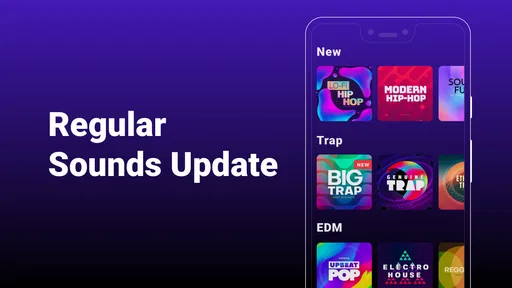
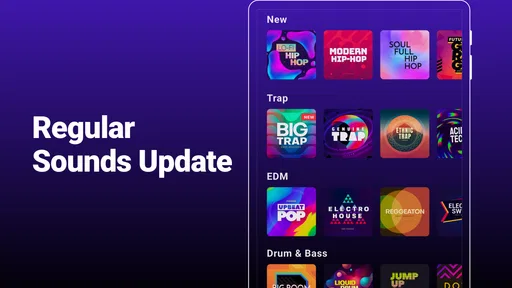
This is where things get interesting. Groovepad offers a vast array of sound packs that span across genres—think Hip-Hop, EDM, House, Dubstep, and more. Each pack is like a toolkit filled with loops, beats, and vocals to mix and match. You can create tracks that are chill, upbeat, or somewhere in between. It’s all about what you’re feeling at the moment.
Making Music, Simplified
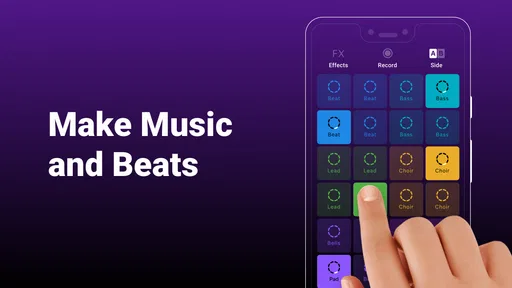
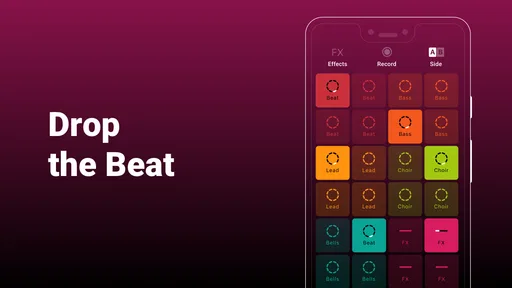
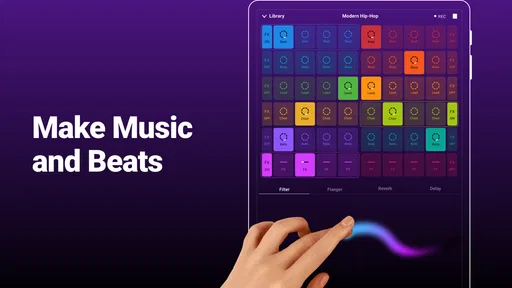
Creating music with Groovepad is as simple as tap, tap, boom! You don’t need to be a professional DJ or producer to play around with this app. Each pad corresponds to a different sound or beat. You can tap to start or stop them and layer as many as you like. It’s like having a portable DJ set on your phone. This ease of use is what makes it so addictive. You’ll find yourself lost in the music for hours.
Features that Wow
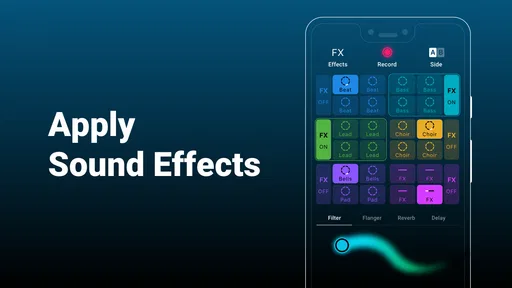
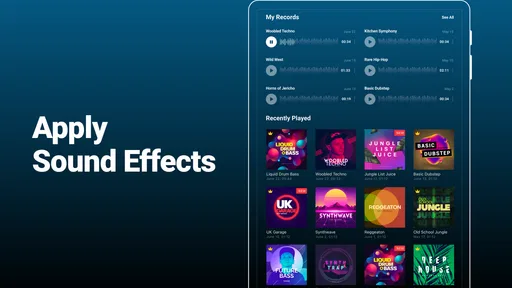
One of the standout features is the Live Loops. This allows you to create seamless music tracks by layering loops. It’s a feature that offers a lot of creative freedom. Plus, there’s the FX effects that let you play around with filter, flanger, reverb, and delay. These effects really let you personalize the sounds to your liking.
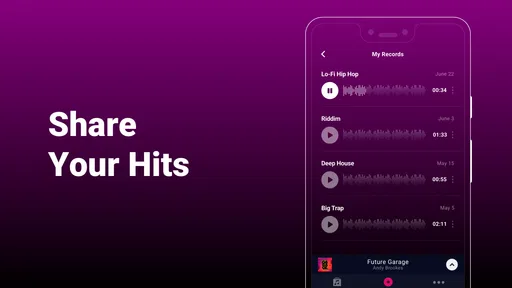
Another cool feature is the ability to record your creations. So, if you come up with something you’re proud of, you can easily export it and share it with friends or on social media. It’s about making music on the go and having something tangible to show for it.
Why It’s a Must-Try
If you’re someone who enjoys music or has ever wanted to try making your own tracks, Groovepad is a must-try. It’s not just an app; it’s an experience. The accessibility it offers is fantastic, and the quality of the sound packs is top-notch. It turns your phone into a creative studio that you can carry around in your pocket.
Worth Reading Before You Choose

Flipboard Shows What News Apps Must Do Beyond the Feed

Switching to Android Auto Means Rethinking Your Driving Routine

Google Calendar Makes a Crowded Week Easier to Manage

Ludo King Makes the Most of the Minutes Between Plans

Baby Panda World Brings Quick Play to Modern Phones, but Its Game Library Feels Busy

ESPN’s Live Game View Makes Following Close Games Easier
A Few Things to Keep in Mind
While Groovepad - Music Maker is free to download, there are in-app purchases for additional sound packs and features. These can enhance your experience, but the free version already offers plenty to play with. You might also encounter ads, which can be a bit distracting, but they’re a small price to pay for all the features available without spending a dime.
Where the Quick Workflow Has Limits
The same simplicity that makes this useful also sets its ceiling. Groovepad is strongest when I want to trigger prepared sounds and shape a lively loop; it is not the tool I would choose to build a song from a blank timeline, edit a vocal take, or arrange a detailed composition. If I need precise control over notes, instruments, or a multitrack project, a full digital audio workstation is a better fit. A conventional DJ app is also more appropriate when the goal is to blend existing songs rather than create a beat from pads.
For a first session, I’d choose one sound pack and stay with it long enough to learn how its pads interact. Starting with too many options makes it tempting to tap everything at once, which can turn a promising groove into a crowded mix. I get a cleaner result by establishing a steady foundation, adding one contrasting layer, and then using an effect sparingly to create movement. That small bit of restraint is more useful than trying to make every available sound part of the same track.
A Practical Session, from Idea to Share
Imagine I’m waiting for a friend and have a few minutes to spare. I open the app, pick a pack that matches the energy I want, and test a couple of pads before committing to a rhythm. Once the core loop feels coherent, I bring in a second layer and try a filter or delay effect rather than changing several sounds at once. If the result has a section I like, recording gives me something I can listen back to and decide whether it is worth sharing.
That listen-back step matters. A combination can feel exciting while I’m tapping because I’m focused on the performance, yet sound repetitive when played through from the beginning. I use the recording as a quick reality check: does the groove hold together, or did I keep adding sounds just because the pads were there? Treating a short take as a sketch, not a finished song, keeps expectations sensible and makes it easier to enjoy experimentation.
The handoff is simple in spirit: I move from playing pads to capturing a result, then share it outside the creation session if I want other people to hear it. That makes the app handy for sending a playful musical idea to a friend or saving a mood I stumbled on during a break. It is less suited to a workflow where I need detailed editing after recording, a polished arrangement, or a dependable way to continue a project across several production tools. For those jobs, I would start in software built around arranging and editing rather than assume a quick pad performance can replace that work.
Who Will Get the Most from It?
I’d recommend Groovepad to curious beginners, casual music fans, and anyone who enjoys performing with loops more than studying music theory. It can also be a useful low-pressure way to explore how layers and effects change a beat. Since the app is rated for Everyone, it is approachable as a creative play tool for a broad audience, though younger users may still need an adult’s help understanding purchases and interruptions. It is less compelling for a musician who already needs exact control over tempo, individual notes, recording inputs, or a long-form arrangement.
Compared with ordinary music-player apps, this one asks you to participate rather than simply choose a song and listen. Compared with full music-production apps, it removes much of the setup and detailed editing in exchange for speed and immediacy. That trade-off is the point: I can get to a playable idea quickly, but I should not expect the same depth I would get from a workstation. If you want to perform short loop-based ideas, that balance feels sensible; if you want to finish a release-ready track, it may become a stepping stone rather than your main tool.
Cost, Compatibility, and Everyday Friction
The app is free, with optional in-app purchases ranging from $6.99 to $46.99 per item. I’d spend time with the free experience before buying anything, especially if I’m still discovering whether I enjoy this kind of loop-based creation. Additional packs can broaden the palette, but more sounds do not automatically make a stronger track; learning to combine a small set thoughtfully is often the better first investment. Ads may also interrupt the flow, so the experience can feel less continuous than sitting down with dedicated desktop software.
The current version is 1.27.0, and the minimum operating system requirement is Android 7.0. That makes it worth checking your device’s compatibility before planning a session around it. For a casual sketch, a phone is convenient; for longer sessions, I find it easier to focus when I have enough time and a quiet place to listen carefully. The controls are designed for tapping, so the app’s quick, hands-on style is a strength, but it also means that a small screen is not a substitute for the detailed workspace of a computer-based setup.
My Take After Following the Whole Flow
Groovepad works best when I treat it as an instrument for quick ideas: choose a sound world, build a few layers, use effects with purpose, record a take, and decide whether it is worth sharing. That path is satisfying because there is little friction between having an impulse and hearing something take shape. It is not a shortcut to every part of music production, and its simplicity can feel limiting once I want fine-grained editing or a more controlled arrangement.
Still, for an accessible first step into making beats, or a playful way to turn a spare moment into a loop, I think it earns a place on a music lover’s phone. Easybrain has made an app that favors experimentation over technical setup, and that is a good match for people who want to play before they learn a more complex tool. If you go in expecting quick, enjoyable sketches rather than a complete studio, you are much more likely to come away pleased with what you made.
Pros
- User-friendly interface for beginners.
- Wide variety of music genres available.
- High-quality sound effects and loops.
- Regular updates with new content.
- Offline mode for creating music anywhere.
Cons
- Limited free version features.
- Ads can be intrusive during use.
- Some advanced tools require in-app purchases.
- Occasional bugs with sound playback.
- Requires significant storage space.
FAQs for Groovepad - Music Maker
What is Groovepad and how does it work?
Groovepad is a user-friendly music creation app that allows users to create their own music tracks using a variety of sound packs. The app offers a simple interface where users can tap on pads to activate beats, loops, and effects, making it easy to compose music even without prior experience.
Is Groovepad suitable for beginners in music production?
Yes, Groovepad is designed with beginners in mind. Its intuitive interface and guided tutorials help users understand the basics of music production. With a wide selection of sound packs and effects, users can experiment and learn to create music at their own pace without feeling overwhelmed.
Are there any in-app purchases in Groovepad?
Groovepad is free to download and use, but it does offer in-app purchases. Users can buy premium sound packs and features to expand their music-making capabilities. While the app provides a good range of free content, purchasing additional packs can enhance the creative experience significantly.
Can I share my music creations from Groovepad?
Yes, Groovepad allows users to easily share their music creations. Once a track is complete, users can save their work and share it on various social media platforms or with friends directly from the app, making it easy to showcase and distribute their musical talents.
What devices are compatible with Groovepad?
Groovepad is available for both Android and iOS devices. It requires Android 5.0 or later and iOS 11.0 or later, ensuring compatibility with most smartphones and tablets. Users should ensure their device meets these requirements for optimal performance and functionality.


